Samplified Sampling Experience with Samplify
Advanced Water & Air Quality Testing with Samplify
An app designed for efficient Earth, Water, Air, Sound, and Food pollution sample collection and testing, featuring real-time data input, analysis, and auditable report generation to monitor and manage product quality and industrial health.


Introduction to Samplify
See how our innovative platform samplifies environmental sampling and testing
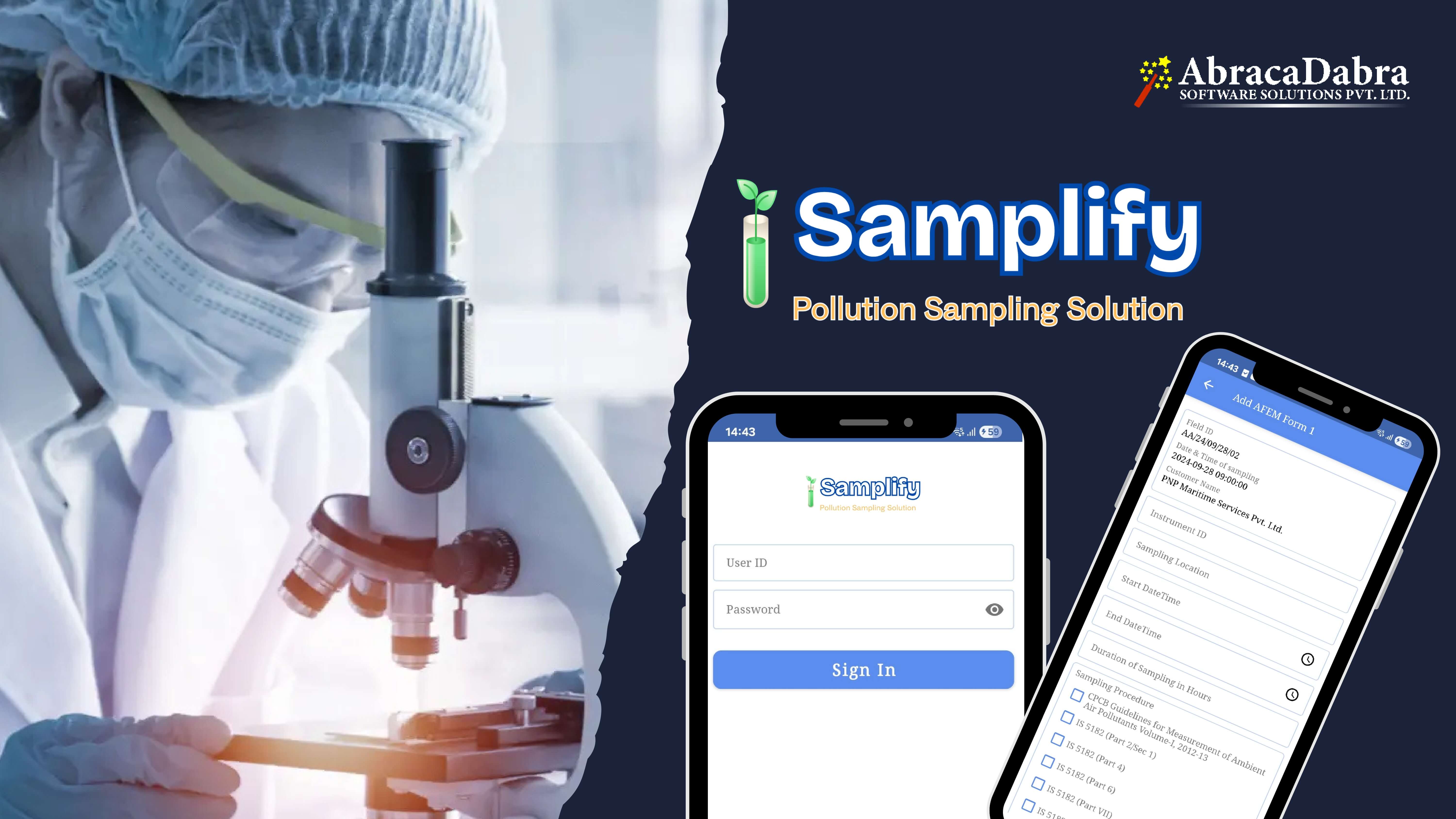
Introduction to Samplify
Awesome Features
Discover our cutting-edge testing capabilities
Streamlined and Automated Sampling
Designed to samplify and automate sampling processes, ensuring seamless and efficient operations.
GPS-Enabled Real-Time Data Entry
Sampling officers can log in quickly, record sample parameters using GPS-enabled data entry, and submit results in real time, minimizing paperwork and improving accuracy.
Versatile Multi-Sample Type Support
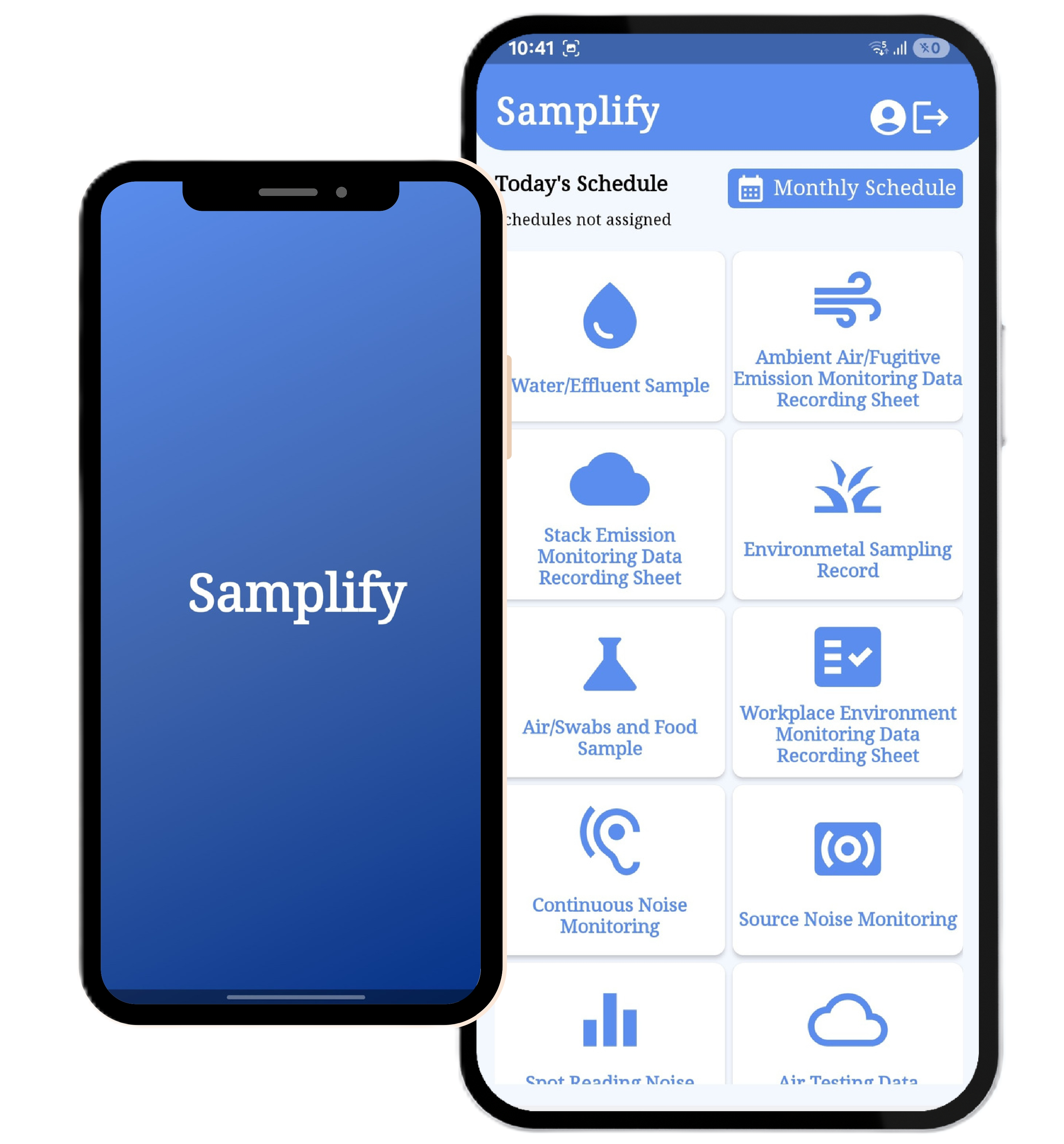
The app supports 15 sample types, including Water/Effluent, Ambient Air/Fugitive Emissions, Stack Emission, Environmental, Air/Swabs, Food, Noise, Solid Waste, and more.
User-Friendly for Sampling Personnel
Sampling personnel can easily log in, collect data across various sample types, and submit it directly for testing, ensuring accuracy and efficiency in data collection and reporting
Managerial Oversight
Managers can review submitted sample collections, identify mistakes, and correct errors to maintain data integrity.
Comprehensive Admin Management
Admins can manage both managers and sampling officers, ensuring smooth operation and oversight.
Real-Time Reporting and Data Export
Generate real-time reports on completed sampling activities, export data for analysis or sharing, and print sampling reports for documentation.
Guided Workflows for Data Accuracy
Provides guided workflows for processes like adding new records, editing existing records, and submitting data. Users can review entered data before submission to ensure accuracy.
Secure and Scalable Platform
Ensures data security with encrypted storage and offers scalability to accommodate growing sample collection needs across multiple regions or departments.
Testing Data Sheets
Comprehensive data recording sheets for all your environmental testing needs
Water/Effluent Sample
Ambient Air/Fugitive Emission Monitoring Data Recording Sheet
Stack Emission Monitoring Data Recording Sheet
Environmental Sampling Record
Air/Swabs and Food Sample
Workplace Environment Monitoring Data Recording Sheet
Continuous Noise Monitoring
Source Noise Monitoring
Spot Reading Noise Monitoring
Air Testing Data Recording Sheet
Sampling Data Sheet For Medical Oxygen
Solid Waste/Hazardous Waste/Soil/Solid Fuel Samples
Illumination Measurement Sheet
Ventilation Measurement Sheet
How It Works
Simple process for professional environmental testing
Mobile App Guide
- Login using username & password.
- Dashboard shows today’s tasks, monthly schedule, and sampling categories.
- Choose any sampling type (Water, Air, Noise, Food, Waste, etc.).
- Tap Add New Sample to start a new record.
- Fill basic details (date, samples count, customer, etc.).
- Take concerned person’s signature and continue.
- Fill detailed sampling form (location, equipment ID, procedure, timings).
- Add sampling images if required.
- Preview the entire form.
- Add sampling person’s signature and submit.
- Use Draft List to edit incomplete forms.
- Use Completed List to view submitted samples.
Admin Panel Dashboard
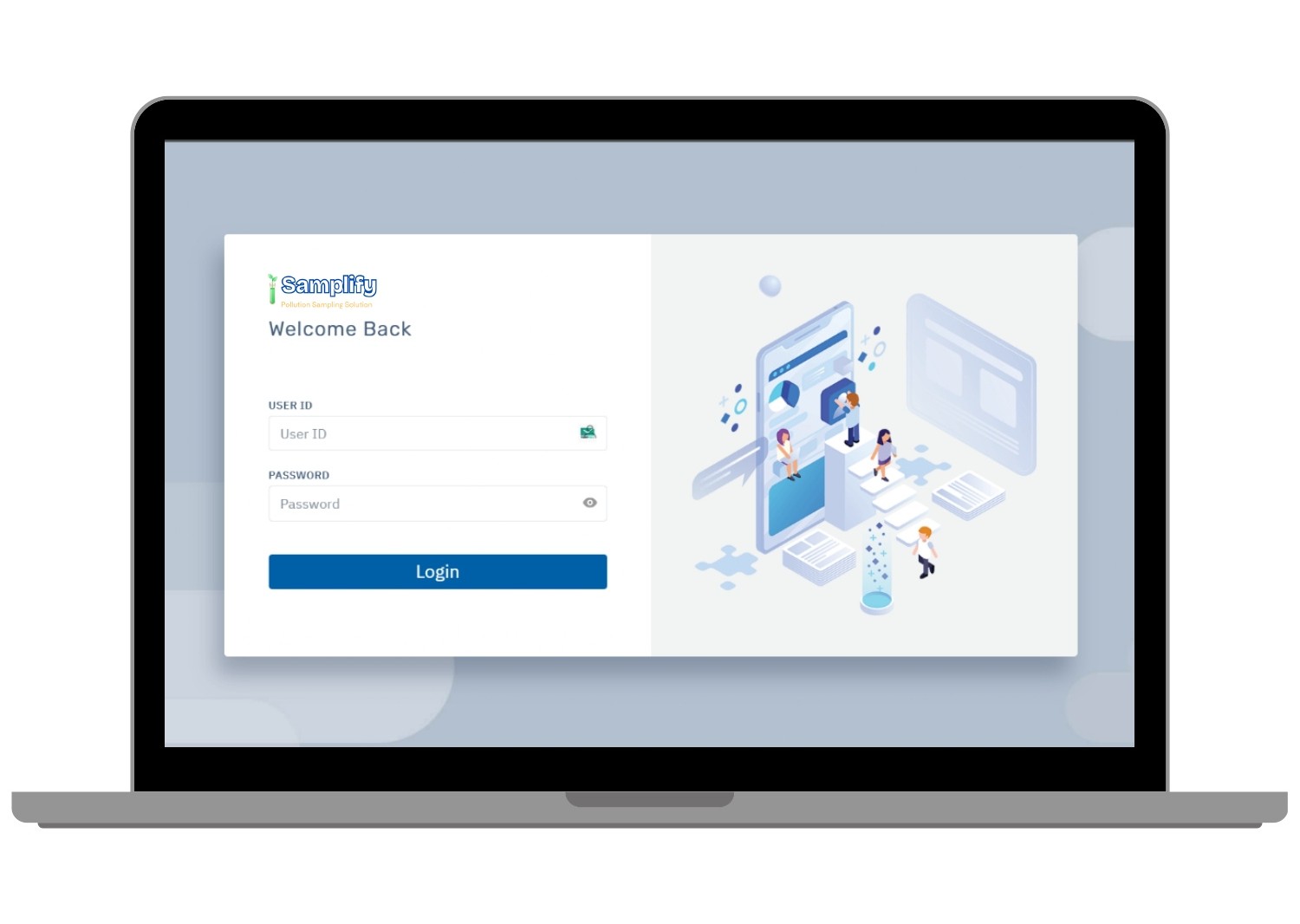
- Admin & Managers login securely using credentials.
- Dashboard shows stats like total Managers, Lab Assistants & Sampling Persons.
- Manage Managers, Lab Assistants & Sampling Persons with add/edit options.
- Create and manage Monthly Schedules for sampling persons.
- Add and manage Customers for each city/branch.
- Manage Branch Offices/Cities (Super Admin only).
- View all sample categories and detailed sampling records.
- Open Field IDs to view full sampling forms & download PDF.
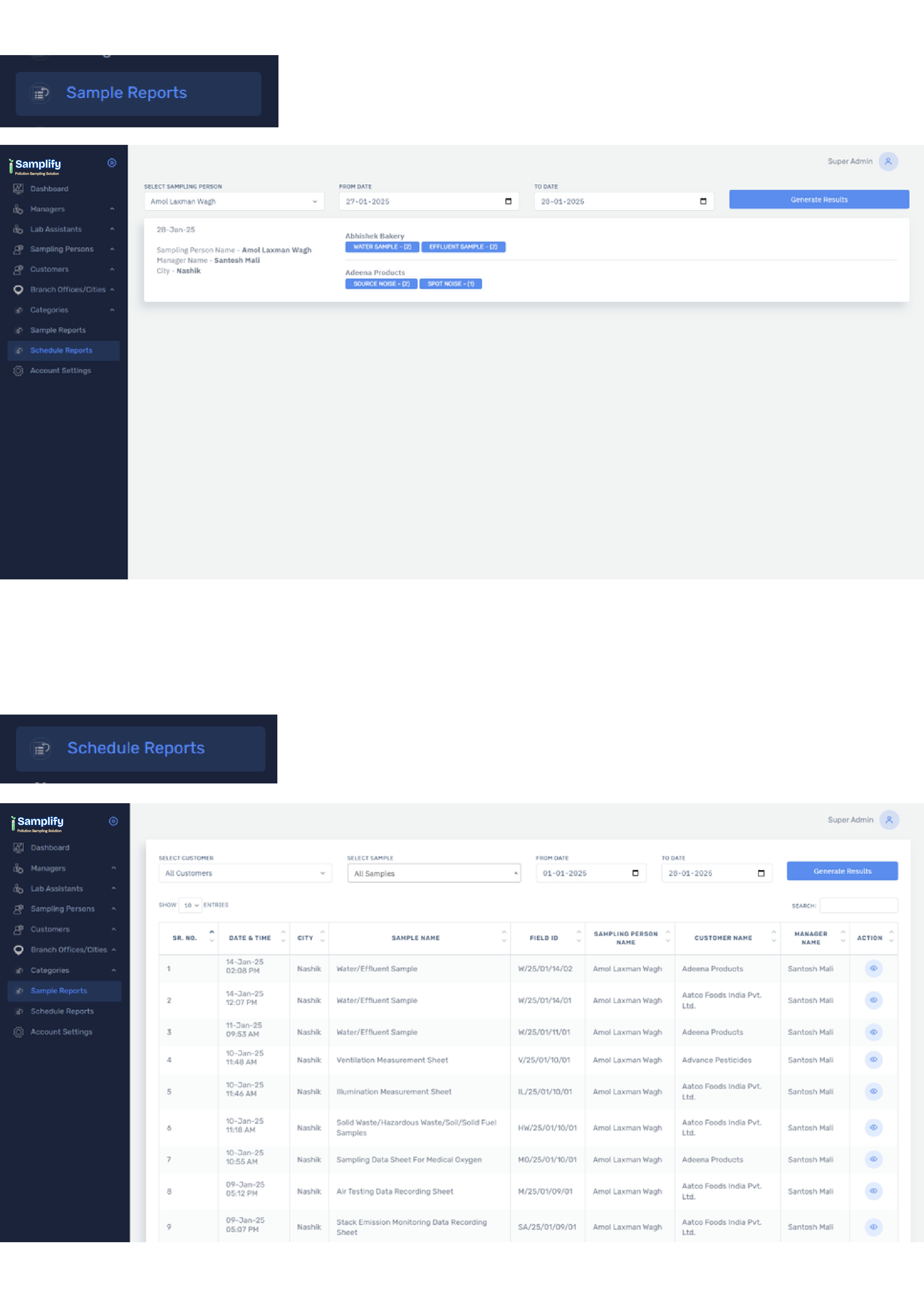
- Filter and view Sample Reports by customer, sample type & date.
- View Scheduled Reports for sampling activities.
- Update profile & change password through Account Settings.
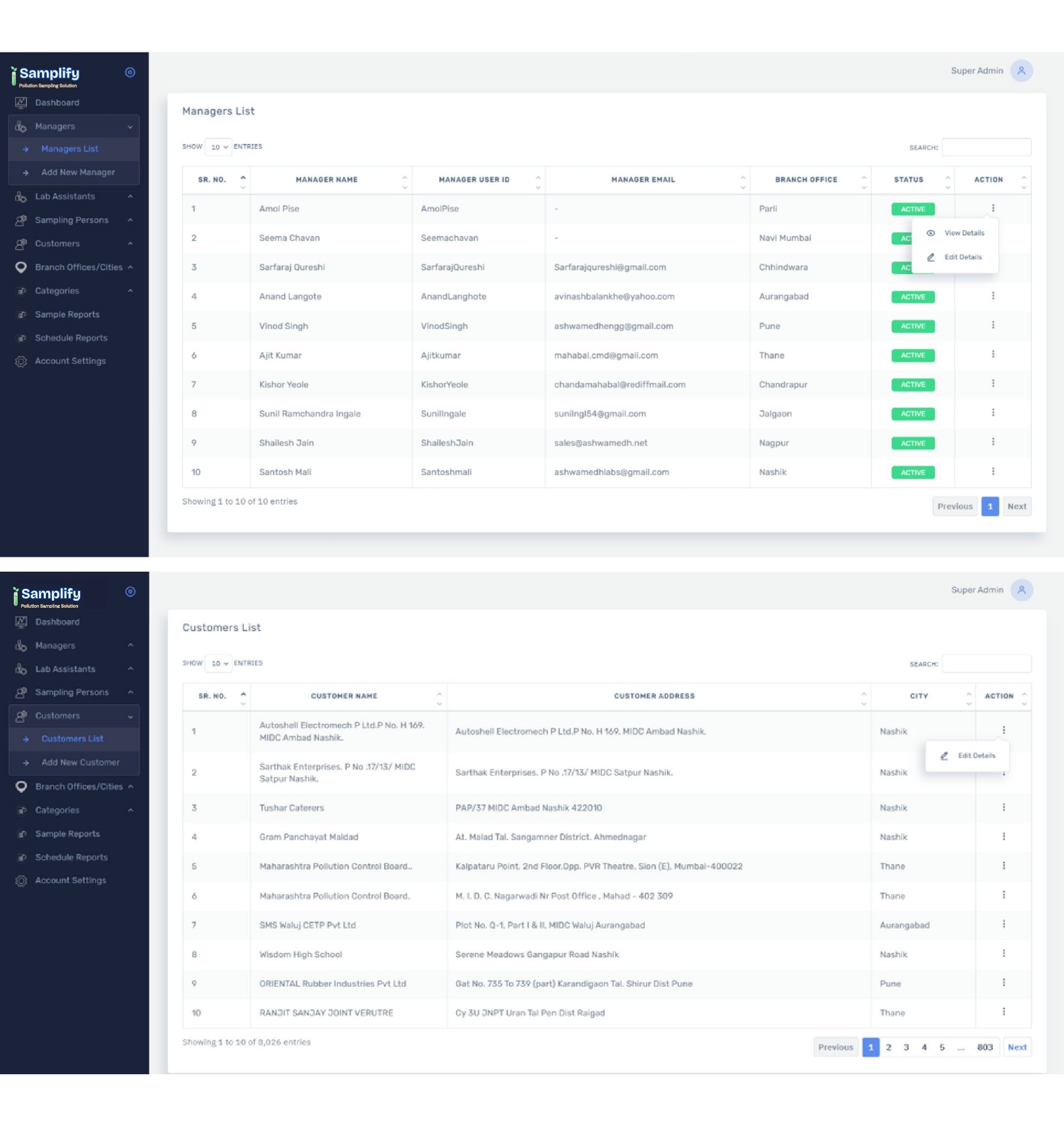
Backend System Methodology
- Centralized backend for managing users, customers & schedules.
- Stores all sampling data submitted from mobile app.
- Role-based access for Super Admin, Managers & Lab Assistants.
- Generates Field IDs and organizes samples by category.
- Secure cloud database with automatic data syncing.
- Allows PDF generation for every sampling record.
- Provides filtering options by date, customer & sample type.
Sample & Schedule Reports
- Sample Reports:
- View all submitted sample reports by lab assistants & sampling persons.
- Filter reports by customer, sample type, city, or date range.
- Generate detailed sample records with sampling person & customer info.
- View sample categories (Water, Air, Stack Monitoring, etc.).
- Track hazardous material handling via Hazarge Name.
- View full details using action buttons for every record.
- Schedule Reports:
- Generate reports based on scheduled sampling activities.
- Select sampling person or view their schedule collectively.
- Filter schedule reports using From Date and To Date.
- Display sampling person, manager name, and city in search results.
- View customers & sample types collected during selected dates.
- Managers can only view schedules of sampling persons in their own city.
- Super Admin has access to all scheduled reports across all locations.
Noise Mapping Solution
Specialized app for advanced noise pollution monitoring and analysis
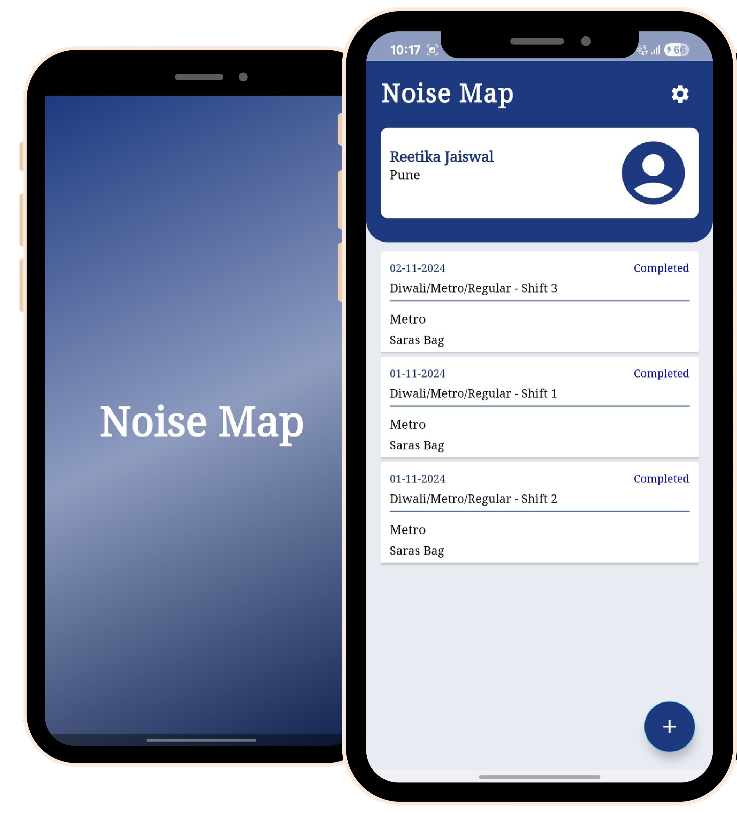
Noise Map – Smart Noise Monitoring & Reporting System
Our Noise Map app provides real-time noise pollution monitoring with advanced mapping capabilities. Track decibel levels, identify noise hotspots, and generate comprehensive reports for environmental compliance.
Smart Noise Data Collection
The app works with noise-mapping devices to capture accurate sound levels and store them instantly for precise monitoring.
Secure Role-Based Access
All data is saved in a secure backend system with Admin and Manager logins for controlled access and smooth operations.
Dashboard & Excel Reports
The dashboard shows noise analytics in real time and allows one-click download of clean, formatted Excel reports.
How Noise Map App Works
Simple process for professional noise pollution monitoring
Noise Detection
A noise-detection device is used to accurately identify and measure environmental sound levels in real time. Once the device successfully detects the noise, you can use this app to record and submit the measured data.
Enter & Submit Data in the App
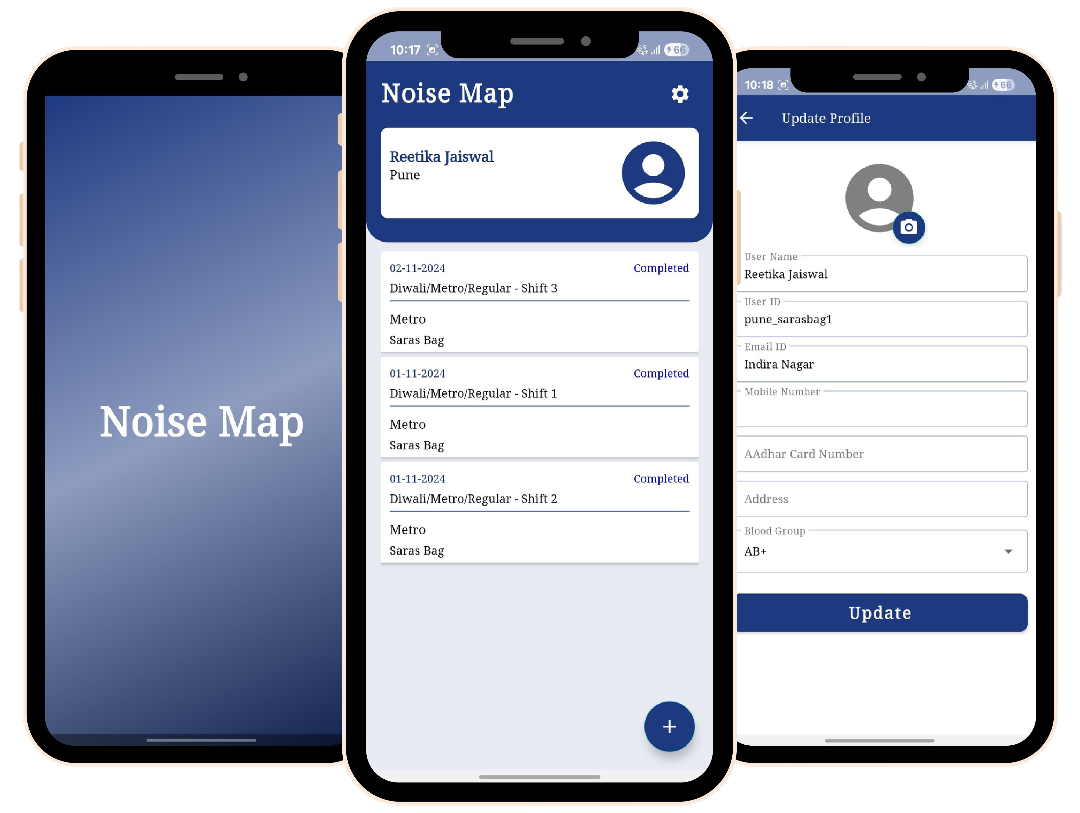
Users record the detected values and related information directly inside the Noise Map application. The interface is simple and user-friendly, allowing quick data entry and immediate submission without any complexity.
Store & Manage Data in Backend
Once the data is submitted, it is automatically stored in a secure backend database. The system is designed with Admin and Manager roles, ensuring proper access control, safe data handling, and smooth operational workflow.
Analyze & Download Reports
Admins can access a powerful dashboard where the stored data is converted into clear graphs, visual insights. The system also provides an option to download structured and accurate reports in Excel format for documentation.
What Our Clients Say
Trusted by industry leaders across various sectors
“Samplify has made our environmental sampling process smooth and error-free. The app is fast, accurate, and perfect for field teams.”
“The mobile app and backend developed by Abracadabra Software Solutions make compliance reporting extremely simple. All our sampling records are well structured and easy to access.”
“Samplify has reduced our paperwork dramatically. Digital signatures, photos, and auto-generated reports make audit preparation effortless.”
Why Choose Us?
Trusted by industry leaders for reliable environmental testing
Accurate Pollution Analysis
Our app uses advanced algorithms to provide precise pollution data, ensuring reliable insights for product quality and environmental health.
Multi-Source Data Integration
The app consolidates data from multiple environmental sources, ensuring comprehensive monitoring across Earth, Water, Air, Sound, and Food pollution categories.
Easy-to-Use Interface
Designed for simplicity, our app ensures a seamless experience, whether you're collecting samples or reviewing your reports.
Cost-Effective
Save time and resources while managing product quality and environmental health without needing expensive equipment or specialized tools.
Get In Touch
Have questions? Reach out to our team
Contact Information
Location
Abracadabra Software Solutions Pvt. Ltd.
2nd Floor, Krishna Building, Above Diya Dinning Hall,
Bytco Point, Nashik Road, Nashik 422101,
Maharashtra, India
Phone
+91 9822545211
support@Abraca-Dabra.com
Send us a Message
Download Our Samplify Mobile App
Access your test results, schedule new tests, and receive alerts on your mobile device.
Download Our Noise Map Mobile App
Download the Noise Map app to monitor noise levels, access test results, and stay updated anytime, anywhere.
Frequently Asked Questions
Find answers to common questions about our services
What types of environmental samples can be collected using Samplify?
Samplify supports 15 sample types including Water/Effluent, Ambient Air/Fugitive Emissions, Stack Emission, Environmental, Air/Swabs, Food, Noise, Solid Waste, and more. Our versatile platform accommodates various sampling requirements across different industries.
How does the GPS-enabled data entry work?
Our mobile app uses built-in GPS functionality to automatically capture location data when samples are collected. This ensures accurate geotagging of each sample, eliminating manual entry errors and providing precise location tracking for all environmental testing activities.
Can I access my sampling data offline?
Yes, our mobile app works seamlessly offline. You can collect samples, enter data, and capture images even without an internet connection. Once connectivity is restored, all data automatically syncs to our secure cloud backend for real-time access and reporting.
How secure is my data with Samplify?
We prioritize data security with end-to-end encryption, secure cloud storage, and role-based access controls. All data transmission is encrypted, and our backend systems comply with industry standards for data protection and privacy.
What reporting capabilities does Samplify offer?
Samplify provides comprehensive reporting features including real-time dashboards, customizable reports, export to Excel/PDF formats, and automated report generation. Managers can generate compliance reports, analyze trends, and share findings with stakeholders instantly.
Is there a trial period available?
Yes, we offer a 14-day free trial for new users. During this period, you can explore all features of our platform, collect samples, and experience the full functionality of Samplify. Contact our support team to get started with your trial today.
How does the mobile app streamline the sampling process?
Our mobile app simplifies sampling through guided workflows, digital forms, and real-time data entry. Sampling personnel can quickly log in, collect data across various sample types, capture photos, obtain digital signatures, and submit results directly for testing, ensuring accuracy and efficiency.
Can managers review and correct sampling data?
Yes, managers have dedicated oversight capabilities. They can review all submitted sample collections, identify mistakes, and correct errors before finalizing reports. This ensures data integrity and maintains high-quality standards across all sampling activities.
What devices are compatible with the Samplify mobile app?
The Samplify mobile app is compatible with most modern smartphones and tablets running Android 7.0 or higher and iOS 12.0 or higher. The app is optimized for field use with intuitive touch controls and responsive design.
How does the Noise Map App work?
Our Noise Map App provides real-time noise pollution monitoring with advanced mapping capabilities. It works with certified noise-mapping devices to capture accurate sound levels, store them instantly, and generate comprehensive reports for environmental compliance.
Can I integrate Samplify with my existing systems?
Yes, Samplify offers API integration capabilities that allow you to connect with your existing ERP, CRM, or other business systems. Our technical team can work with you to ensure seamless data flow between platforms.
What kind of customer support do you provide?
We offer comprehensive customer support including 24/7 technical assistance, onboarding training, regular software updates, and dedicated account managers for enterprise clients. Our support team is available via phone, email, and in-app chat.
How often is the Samplify platform updated?
We release regular updates to the Samplify platform, typically on a monthly basis. These updates include new features, performance improvements, security enhancements, and bug fixes. Major feature releases are communicated in advance to all users.